
Fixing AI Automations That Failed Quietly
Three scheduled AI jobs that never worked, and the changes to where they run, what they cost and how they get checked.
One of my best recent discoveries in Claude is Routines (Code) and Scheduled Tasks (Cowork). Both of these open up so many options, primarily the ability to use Claude's powers at scheduled times, so that it can always be doing work for me.
I run a few scheduled AI jobs at work: a daily digest, a weekly scanner and a monthly review. A few of them failed for a long time before I worked out why. I'd seen this before with Throughline, a dashboard of mine that looked fine for weeks while its live data was quietly failing. The page was asking for a connector by the wrong name, and nothing on screen said anything was wrong. It just looked a little stale.
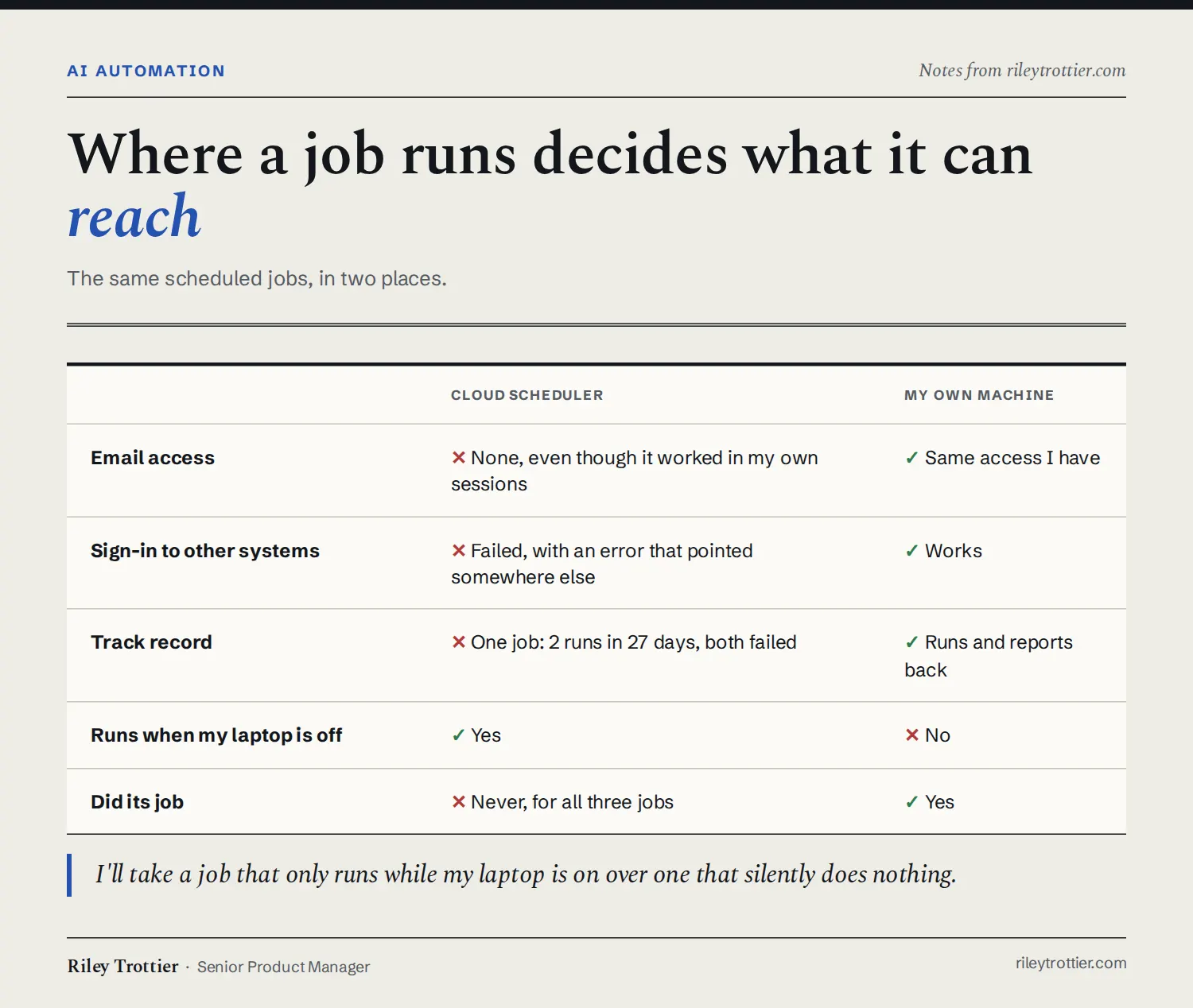
It started with three jobs I'd set up on a cloud scheduler. One was supposed to search my email for a weekly report. When it ran, it said it had no email access at all, even though email worked fine when I used the assistant myself. The cloud environment didn't get the connections my own sessions had. So the job still ran on schedule. It just couldn't do the one thing it was there for.
The second one was more misleading. It failed with an error about a repository, and that repository had been renamed. I fixed the name, re-ran it, and got the same error. The rename was a real problem, but it wasn't the one stopping the job. The real cause was that the cloud environment couldn't sign in to that system at all. Its history showed two runs in 27 days, both failed. It had never worked.
None of the three cloud jobs ever did its job. I rebuilt all of them to run on my own machine, with the same access I have. The downside is they only run while my laptop is on. I'll take that over jobs that silently do nothing. When my laptop is off, a job doesn't run and I know why. A job that runs somewhere else and fails is much harder to notice.
I also started keeping the full prompt for every scheduled job in a git repo, the same way I version my skills. If a job breaks or disappears, I can rebuild it from the repo and see when its instructions changed. Prompts that include personal details go in a private repo. The rest are backed up next to my public skills.
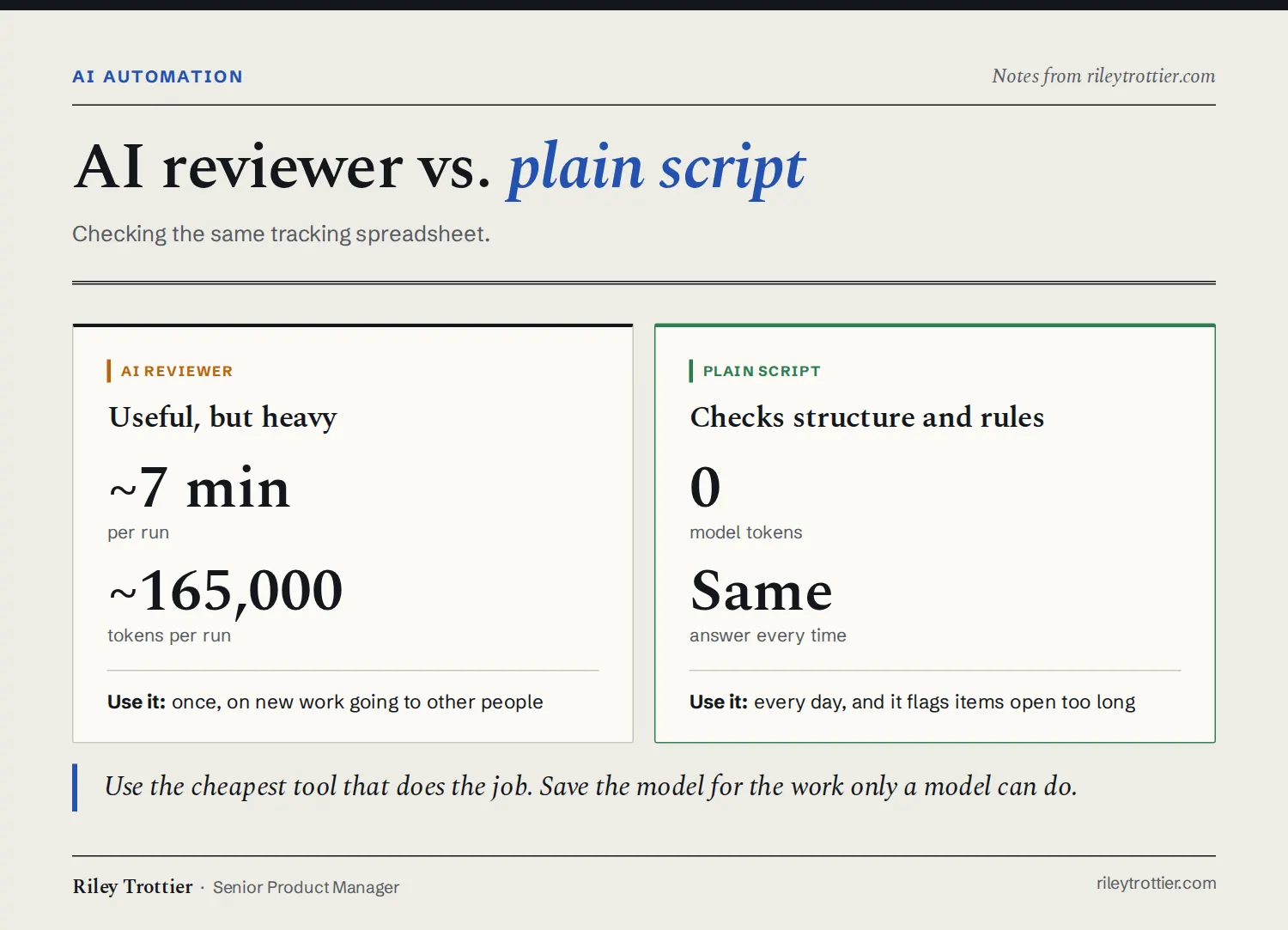
Cost was the next problem. I had an AI reviewer check a tracking spreadsheet, and the first pass was useful. It also took about 7 minutes and around 165,000 tokens, so running it every day wasn't realistic. I swapped it for a plain script that checks the spreadsheet's structure and rules and flags items that have been open too long. It uses no model tokens and gives the same answer every time.
The script has a limit. It only catches what I've written a rule for, so it won't notice anything outside those rules. That's why I still use the AI reviewer, just once, on new work that's going to other people. It's the same split I use when I think about AI in products: the model handles judgment and plain code handles the checks that need the same answer every time.
The last change was small. My daily digest now checks whether anything changed before it writes anything, so on a quiet day it stays quiet. If a daily message rarely says much, you learn to skim past it, and then you miss the day it matters. Throughline had a version of this problem too. A Claude run woke up every hour to rebuild a briefing that mostly hadn't changed, which made it expensive to run, and I ended up cutting it to three times a day.
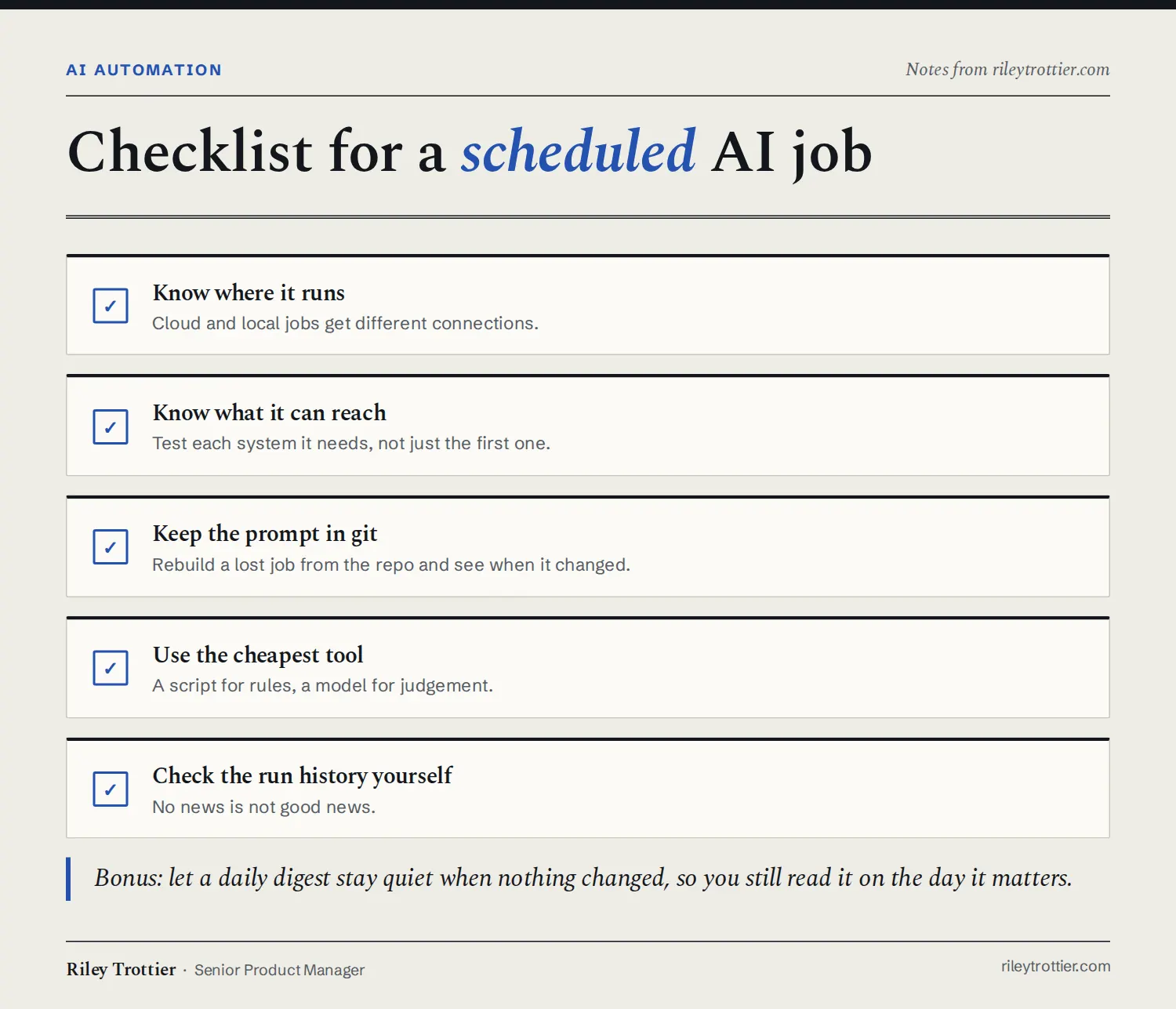
The checklist I use now for every scheduled job has five items:
- Know where it runs. A cloud scheduler and my own machine aren't the same place.
- Know what it can reach. Email and sign-ins that work in my own sessions didn't carry over to the cloud.
- Keep the prompt in git, so I can rebuild the job and see when its instructions changed.
- Use the cheapest tool that does the job. A script for the daily check, the AI reviewer for one-off reviews.
- Check the run history yourself. Two failed runs in 27 days were sitting right there in the history.
So I treat AI automation like any other software now, and I check the run history myself instead of assuming no news is good news.
Views are my own and don't represent Workday.